As an Amazon Associate, we earn from qualifying purchases. Some links on this site are affiliate links at no extra cost to you. Our recommendations are based on thorough research and editorial judgment.
How Frame Rates Impact Drone Video Quality

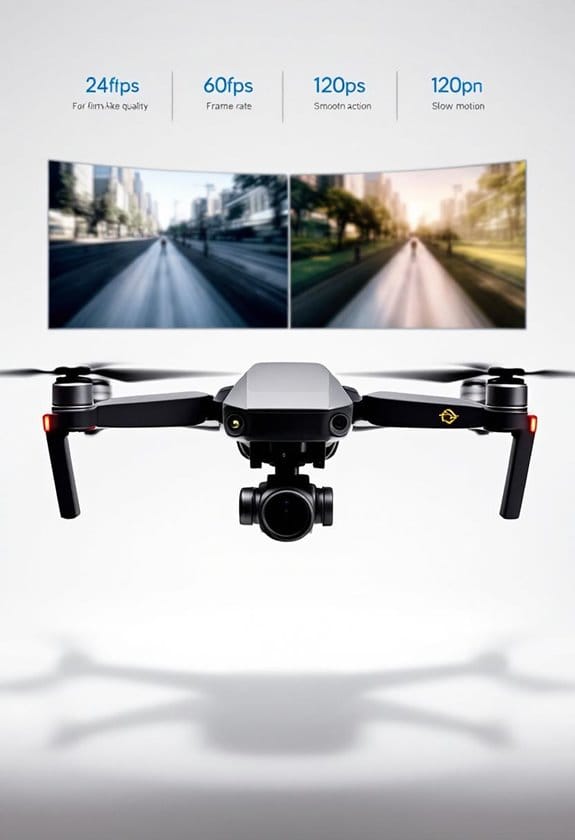
Frame rates greatly impact the quality of our drone videos, affecting motion smoothness and viewer engagement. For instance, 24 FPS gives a cinematic feel, while 60 FPS captures fast-paced action clearly. Choosing the right frame rate aligns with the type of content, enhancing visual storytelling. Higher frame rates require better lighting and result in larger file sizes but improve clarity. Understanding these differences can help us create more compelling footage, so let’s explore more on selecting the best frame rates for our projects.
Key Takeaways
- Frame rate affects the smoothness of drone footage; higher FPS creates more lifelike motion, ideal for fast-paced environments like sports.
- Selecting the right frame rate based on content enhances viewer engagement; 30 FPS is suitable for social media, while 24 FPS suits cinematic storytelling.
- Better lighting is crucial for higher frame rates, as low-light conditions may require dropping to lower FPS to reduce motion blur.
- Mismatched shooting and export frame rates can lead to sync issues and quality loss, affecting the overall viewing experience.
- Higher frame rates generate larger file sizes, impacting storage but allowing for advanced editing options, such as slow-motion effects.
What Is Frame Rate and Why It Matters in Drone Videography
Hey there! So, when we’re out capturing those breathtaking drone videos, understanding frame rate is pretty crucial for getting the best results. Frame rate, which tells us how many frames we see every second (that’s the whole FPS thing), really influences how smooth and clear our videos turn out. For instance, if you shoot at 30 FPS, you’ll get that classic cinematic look that feels nice and polished. But if you bump it up to 60 FPS, you’ll notice everything looks way smoother—this is perfect for action scenes or when there’s a lot happening on screen.
Now, let’s say you’re filming a fast-moving car or a person running; that’s when higher frame rates like 120 FPS come into play. They help to minimize motion blur, making sure you capture all those fast details crisply. Just remember, though, your choice of frame rate should match the mood of your scene and the lighting. Lower frame rates tend to struggle in dim light, while those higher rates need good lighting and can eat up your storage pretty quickly. Many 1080P camera drones come with stability systems that help maintain video clarity even when flying in mild winds.
How Different Frame Rates Impact Video Quality
Hey there! So, let’s chat about how different frame rates can really change the quality of your drone videos. Understanding frame rates is key to getting that perfect shot! They greatly influence how smooth your motion looks. For instance, if you’re filming a thrilling chase scene or a bird in flight, using a higher frame rate, like 60 FPS, gives you that fluid motion without the annoying blur.
Now, for most everyday drone flying, 30 FPS strikes a good balance. It makes your footage look clear and smooth for things like capturing a beautiful landscape or a casual family event. If you’re in a situation where you want to highlight fast action, think about bumping it up to 120 FPS—this allows you to slow it down for some breathtaking slow-motion effects, perfect for capturing the fluttering of a butterfly or a dramatic moment in sports.
To help you choose the right frame rate, here’s a quick breakdown:
- 24 FPS has that classic cinematic vibe, ideal for storytelling.
- 30 FPS is your go-to for general drone footage.
- 60 FPS makes everything feel more lifelike.
- 120 FPS gives you those spectacular slow-motion shots.
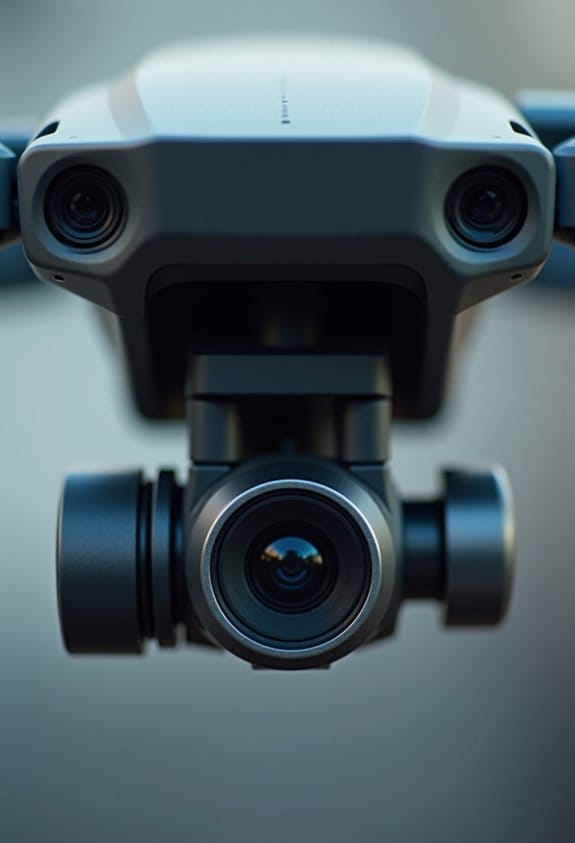
Choosing the right frame rate also depends on your drone’s camera resolution quality, as higher resolutions paired with optimal frame rates produce the best video results.
Understanding Motion Smoothness and Clarity Through Frame Rates
Hey there! Have you ever thought about how the frame rate can really shape the smoothness and clarity of your drone footage? It’s pretty fascinating! Choosing the right frame rate is key for creating stunning visuals that truly capture the moment.
For example, if you shoot at 30 frames per second (FPS), you’ll get that beautiful, natural motion that feels cinematic—perfect for those scenic sunset shots. Now, if you’re capturing something fast-paced, like a thrilling action scene, bumping it up to 60 FPS will make everything look super smooth and fluid. And if you want to take it a step further, shooting at 120 FPS allows you to catch more detail and significantly reduces motion blur, especially useful in dynamic settings like sporting events or wildlife in action.
Just a heads-up: higher frame rates do need better lighting to keep everything clear. So, if you aim for those dramatic slow-motion effects during editing, make sure your lighting is on point! Ultimately, the frame rate you choose really influences how your audience experiences your footage. With that in mind, let’s explore how other elements, like frame composition and choice of location, can further enhance your aerial videography!
Additionally, pairing the right frame rate with a 4K camera resolution can significantly elevate the overall quality of your drone videos.
How to Choose the Best Frame Rate for Different Drone Footage Types?
Choosing the best frame rate for different types of drone footage might seem tricky, but it’s really all about the content you’re filming. For instance, if you’re capturing a calm landscape or a static scene, stick with 30 FPS—it gives you that smooth motion we all love without overwhelming your storage. But if you’re zooming in on something fast-paced, like a soccer game or a car race, crank it up to 60 FPS. This way, you can catch all those quick movements clearly, and if you want to create slow-motion shots later, you’ll have great material to work with.
Now, if you’re shooting in low light, dropping down to a lower frame rate can actually help improve video quality by reducing grain and noise—something to keep in mind for those evening drone sessions. And if you’re going for that classic cinematic feel in a project, 24 FPS will give your footage that emotional impact reminiscent of traditional films. Just think about where you’ll share your video: social media platforms might favor lower frame rates to speed up uploads, while a professional video presentation usually shines with higher frame rates for that crisp look. For the best results, also consider your drone’s stabilization system to ensure the footage remains smooth and clear regardless of frame rate.
The Influence of Frame Rate on Post-Production Editing
Hey there! Let’s chat about how frame rate can really shape the post-production editing process. You know, the frame rate you pick—like whether you go for 30 FPS or 60 FPS—really affects how smooth your video looks. Higher frame rates, like 60 FPS, let us capture crisp movements and create really cool slow-motion scenes that still look clear. For example, if you’re shooting a skateboarder performing tricks, 60 FPS will allow viewers to see every detail without the motion blur.
But here’s the thing: higher frame rates mean bigger file sizes, so you’ll need more storage and a stronger computer to handle it all. It’s all about finding the right balance. If you choose a frame rate that doesn’t match your final output—for instance, shooting at 60 FPS but exporting at 30 FPS—you could end up with sync issues that make editing a pain. So, it’s definitely worth considering your options before hitting that record button!
Now that we’ve got frame rates sorted, let’s move on to how compression can impact footage quality during post-production. Also, using drones with advanced stabilization technology can help you capture smoother footage, giving editors higher quality content to work with.
Essential Tips for Capturing High-Quality Drone Videos With Optimal Frame Rates
Capturing high-quality drone videos really hinges on understanding the best frame rates to use. Choosing the right frame rate can make a huge difference in how clear and dynamic your footage looks. Think of it this way: if you’re filming a smooth, steady shot of a landscape, aiming for around 30 FPS is usually your best bet. This strikes a nice balance between fluid motion and good clarity.
Now, if you’re filming something more action-packed—like a race between two drones or a fast-moving sports event—bumping it up to 60 FPS is the way to go. This helps keep everything looking super smooth, and it even sets you up for some awesome slow-motion shots later on. Imagine capturing a bird swooping down for its prey in stunning detail; the higher frame rate makes it all the more dramatic!
When you’re dealing with low-light conditions, like at sunset or during an overcast day, dropping down to around 15 FPS can actually help reduce motion blur. This way, you maintain the integrity of your video, even when lighting isn’t ideal. And let’s not forget about resolution; shooting in 4K at 30 FPS often gives the best mix of clarity and detail, leading to visuals that really pop. Adding advanced strobe lights to your drone can significantly improve visibility and video quality during nighttime or low-light shooting.
Frame Rate Considerations for Marketing Your Drone Footage
Understanding frame rates is super important when it comes to marketing your drone footage. Choosing the right frame rate can completely change how your videos look and how viewers connect with them. For most promotional materials, a frame rate of 30 FPS gives you that smooth, cinematic feel that draws people in.
But if you’re shooting something fast-paced—like an action scene or a sports event—upping it to 60 FPS can make a big difference. This higher frame rate helps keep everything clear and minimizes motion blur, making the footage even more engaging for your audience. Plus, it allows for some cool slow-motion shots while still retaining all the details. Imagine catching a bird mid-flight in stunning slow-mo—that’s the sort of visual magic we’re talking about.
And don’t forget that different platforms have their preferences. For example, social media and longer promotional videos often favor that 30 FPS sweet spot, as it tends to look the best when viewed on your phone or computer. In short, picking the right frame rate can really enhance the clarity of your drone footage, which can have a positive impact on leasing and sales. Using drones with H.265 encoding can further improve video quality while reducing file sizes, making your footage more efficient to store and share.
Frequently Asked Questions
What Is the Best Frame Rate for Drone Video?
For stunning aerial perspectives, we recommend using 30 FPS for cinematic effects and slower scenes, while 60 FPS is perfect for fast action. This choice minimizes motion blur and enhances slow motion, regardless of lighting conditions.
How Does Frame Rate Affect Video Quality?
Frame rate considerably affects video quality; higher rates enhance stability and reduce motion blur, allowing for stunning slow-motion shots. We can create a cinematic look with frame enhancement, providing viewers with an enthralling experience.
Is 24 or 30 FPS Better for 4K?
For 4K, we believe 30 fps offers smoother motion, perfect for dynamic scenes, while 24 fps provides a cinematic look. Ultimately, our choice depends on the project’s requirements and the emotional impact we aim for.
How to Get High Quality Drone Footage?
To get high-quality drone footage, we should prioritize proper camera settings, optimize lighting conditions, guarantee drone stability, choose the right lens, and fine-tune everything in post-production editing—like crafting an elegant symphony of visuals.