As an Amazon Associate, we earn from qualifying purchases. Some links on this site are affiliate links at no extra cost to you. Our recommendations are based on thorough research and editorial judgment.

What Is Shutter Speed and Why It Matters for Drone Videos

Shutter speed is the duration light hits your drone’s camera sensor, greatly affecting video quality. Fast shutter speeds, like 1/1000th, freeze action, while slower speeds, such as 1/30th or 1/60th, create natural motion blur. This is essential for storytelling, as it influences emotional tone. Using ND filters helps control brightness, allowing slower shutter speeds without losing cinematic quality. Understanding these principles enhances our drone footage, making it more visually engaging and impactful. There’s more to explore on optimizing your drone videography techniques.
Key Takeaways
- Shutter speed determines the duration light enters the camera, impacting exposure and motion appearance in drone footage.
- Following the 180° shutter rule ensures natural motion blur, enhancing the visual storytelling in drone videos.
- Faster shutter speeds freeze motion, ideal for action scenes, while slower speeds create a dreamy effect for tranquil shots.
- ND filters help regulate light, allowing slower shutter speeds in bright conditions without sacrificing image quality or motion blur.
- Proper shutter speed settings contribute to the overall narrative tone, enabling deeper emotional connections in cinematic drone content.
How to Understand Shutter Speed in Drone Videography
Understanding shutter speed in drone videography is a key part of getting great video quality and telling a captivating story. Essentially, shutter speed is how long your drone’s camera allows light in—this directly affects how motion looks in your footage.
If you crank up the shutter speed to something like 1/1000th of a second, you’ll be able to freeze quick movements, like a bird taking flight or your subject zooming past. On the flip side, slowing down to around 1/30th or 1/60th of a second introduces some motion blur, which can add a nice cinematic feel to your shots. It’s all about balance!
A handy tip is to follow the 180° shutter rule. If you’re filming at 60 frames per second, aiming for a shutter speed of 1/120th of a second generally gives you that smooth visual flow. And if you’re out in bright sunlight, ND filters can really save the day—they let you lower the shutter speed while keeping your exposure in check, making those dynamic shots even more captivating. Choosing drones with advanced stabilization technology further enhances the smoothness of your footage, complementing proper shutter speed settings.
Optimal Shutter Speed Settings for Capturing Motion
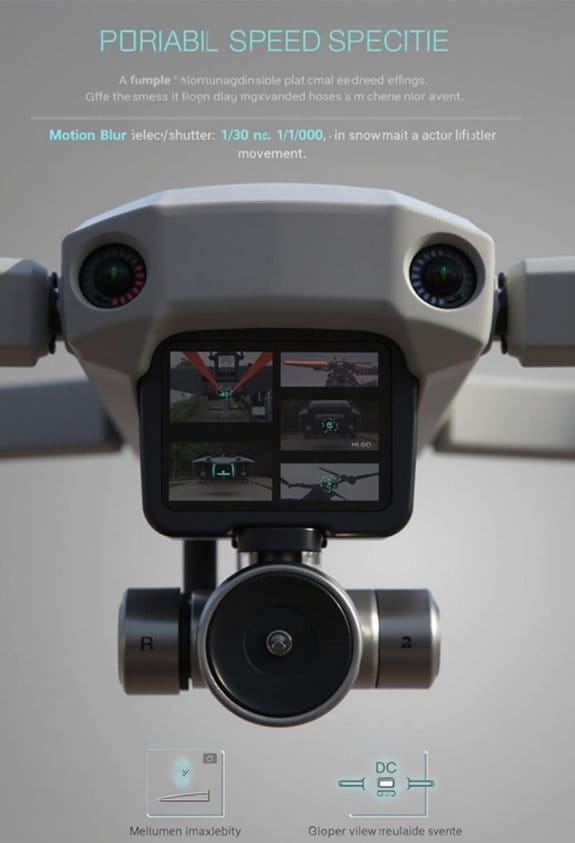
Hey there! If you’re looking to capture smooth motion in your drone videos, understanding the right shutter speed settings is key. Generally, you want to shoot at a shutter speed between 1/30th and 1/60th of a second. This will give you that nice fluid motion blur, making your footage look really polished.
Now, if you’re filming at 60 frames per second, you can apply the 180° shutter rule. This means you’ll want to bump your shutter speed up to around 1/120th of a second. This setting helps maintain a natural motion blur that gives your video that cinematic feel. For example, if you’re capturing a bird in flight or a car zooming by, a slightly faster shutter speed could work wonders.
On the flip side, when you’re dealing with fast-moving subjects and want to freeze the action—like capturing a drone racing against the clock—you might opt for a speed of 1/500th of a second. Just keep in mind that cranking up the shutter speed can result in a less cinematic look. It’s all about balancing your settings for the story you want to tell. Feeling confident about those settings now? Let’s explore how to frame your shots next!
Also, combining optimal shutter speed with a drone’s 3-axis gimbals can significantly enhance video stabilization for smooth footage.
Using ND Filters to Control Brightness Effectively
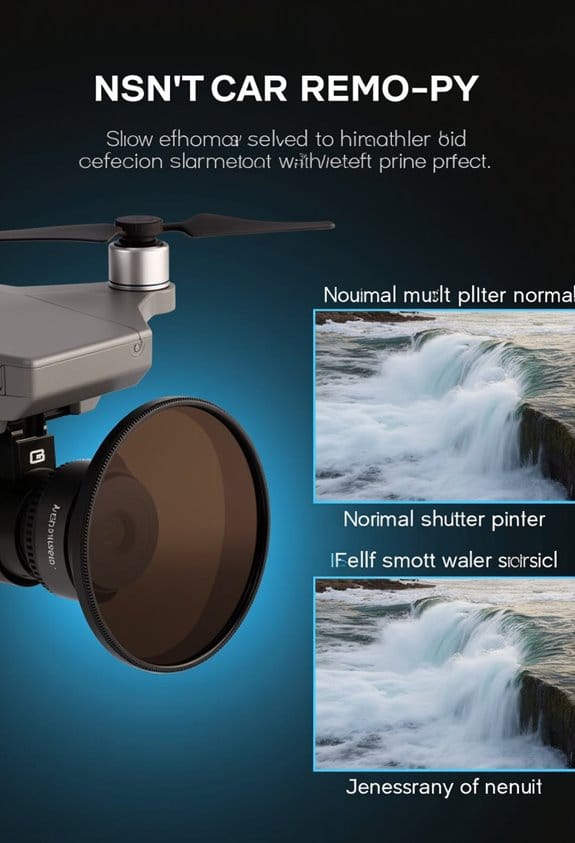
Hey there! So, let’s talk about using ND filters for drone videos, which is super important, especially when you’re flying in bright sunlight. Think of ND filters like sunglasses for your camera; they cut down on the light coming in but keep the colors looking just right. This is crucial because if we don’t manage exposure properly, our videos can end up washed out and lacking detail.
One of the coolest things about ND filters is how they help create that cinematic look with natural motion blur. For example, if you’re shooting a fast-moving scene, using an ND filter allows you to slow down your shutter speed to around 1/60th of a second. This way, you get that smooth, fluid movement in your footage. Without it, your shots might look too sharp or choppy, which isn’t what we want at all!
You’ll find ND filters come in different strengths, measured in stops, so you can pick one based on how bright it is outside. If it’s a really sunny day, a stronger ND filter, like an ND16, can help you dial down the brightness and keep your shots looking professional.
Using ND filters can prevent overexposure, making it easier to capture those stunning visuals even when the sun is blazing. And once you get the hang of it, you’ll notice how much better your drone footage can look! High-quality ND filters made from AGC glass and multi-layer coatings not only enhance image clarity but also reduce flaring and reflections.
Now, let’s move on to some tips for choosing the right ND filter for your next shoot.
Recommended Products

【Ultra-light 4K Camera 】: RunCam listened to the fpv community and finally upgraded this budget and small action cam. Only 16g weight and mini size bring more options to fpv video recording.Suitable for all kinds of fpv drone and rc hobby. Best camcorder for FPV training Freestyle racing and Cinematic filming.

【Ultra-light 4K Camera 】: RunCam listened to the fpv community and finally upgraded this budget and small action cam. Only 16g weight and mini size bring more options to fpv video recording.Suitable for all kinds of fpv drone and rc hobby. Best camcorder for FPV training Freestyle racing and Cinematic filming.

Compatible with Mavic 2 Zoom drones.
How Shutter Speed Shapes the Story You Tell in Filmmaking
Once you’ve got the hang of using ND filters to manage brightness, let’s chat about how shutter speed shapes the story in your drone videos. Shutter speed isn’t just a technical detail; it’s a powerful tool that can completely change the feel of your footage. Think of it like a brushstroke in a painting—it can add depth and emotion to what you’re trying to convey.
For example, if you follow the 180° shutter rule, your shots will have that smooth, natural look we all love. It’s perfect for immersive storytelling, like capturing a sweeping landscape as your drone glides through the air. On the flip side, if you crank up the shutter speed, you create a sense of urgency. Imagine filming a fast-paced racing scene; a faster shutter can really heighten that adrenaline rush your viewers feel.
Slower shutter speeds, however, can introduce beautiful motion blur. This gives your footage a dreamy, serene vibe—ideal for capturing a tranquil sunset or a gentle wave rolling onto the shore. Using these different shutter speeds not only enhances the beauty of your visuals, but it also helps your audience connect emotionally with the story you’re sharing. Achieving smooth footage is also aided by the drone’s 3-axis gimbal stabilization technology, which minimizes shake during flight.
Tips for Achieving High-Quality Drone Video Footage
If you want to capture high-quality drone video footage, it’s all about mixing some technical know-how with real-world practice. Think of it like cooking; you need the right ingredients and techniques to whip up something delicious that everyone enjoys! So, let’s chat about a few essential tips to help you get the most out of your drone.
First up is shutter speed. A good rule of thumb is to set it between 1/30th and 1/60th of a second. This follows the 180° shutter rule, which can give your videos a nice, natural motion blur that makes the footage feel smooth and engaging. For example, if you’re flying over a bustling cityscape, this shutter speed will help the fast-moving cars and people look more fluid rather than choppy.
Next, let’s talk about drone stability. You really want to ensure your drone is steady during flight. Even tiny vibrations can lead to jittery footage, which isn’t exactly pleasant to watch. To help with this, consider using a gimbal, which stabilizes the camera and helps reduce those unwanted shakes. It makes a noticeable difference, especially when you’re capturing those breathtaking panoramic shots.
When it comes to shooting angles, don’t be afraid to get creative! Try different perspectives—like a low angle sweeping through a forest or a high shot gliding over a mountain range. These variations can add depth to your storytelling and keep your viewers engaged. After filming, you’ll likely want to refine your footage a bit. A simple edit in software can help adjust the exposure and color for a polished final look.
Also, investing in a drone with 3-axis gimbal technology can significantly improve your footage quality by minimizing camera shake during flight.
Frequently Asked Questions
What Is the Best Shutter Speed for Drone Footage?
For drone footage, we typically recommend a shutter speed between 1/30th and 1/60th of a second. This allows for effective light exposure adjustment and enhances motion blur effects, giving our videos a smoother, cinematic look.
Why Is Shutter Speed so Important?
Shutter speed’s impact on our footage shapes motion blur, balances exposure, and defines the aesthetic essence of our videos. Understanding it enables us to capture stunning visuals that resonate emotionally with viewers and leave lasting impressions.
What Is the Shutter Speed for a Drone Camera?
For drone photography techniques, we find shutter speeds typically range from 1/30th to 1/120th of a second. This achieves cinematic effects while balancing exposure, ensuring our footage maintains that desired smoothness and quality.
What Is the Golden Rule of Shutter Speed?
The golden rule of shutter speed, which we should remember, is to set it double our frame rate. Understanding shutter speed basics is essential for mastering drone video techniques and grasping exposure triangle relationships.